Motion Trap apps/motion_trap.py
"""Motion Trap - records video whenever a motion sensor sees something move.

**What it does.** A PIR motion sensor watches; when it fires, the camera starts recording to this Pi's own storage
and the dashboard gets a notice ("Motion detected: recording"). Every further movement keeps it going; once nothing
has moved for "Keep recording after motion" seconds (10 by default), the recording stops and a second notice says what
was saved. Live video works all the while, from the same encode.

**Nothing glows at the wildlife.** An infrared light (for a NoIR camera at night) is on exactly while the camera is:
switched on just before it opens, so the first frames are lit, and off when it closes, whatever opened it (a
recording, the live video, a snapshot, or pre-roll, which keeps the camera running all the time the trap is armed, and is on
by default). The Pi's own
lights are switched off while the app runs (see "Board lights" below). A visible LED that lights on motion is
available for setting the sensor up (`--led-pin 27`), and is off unless asked for.

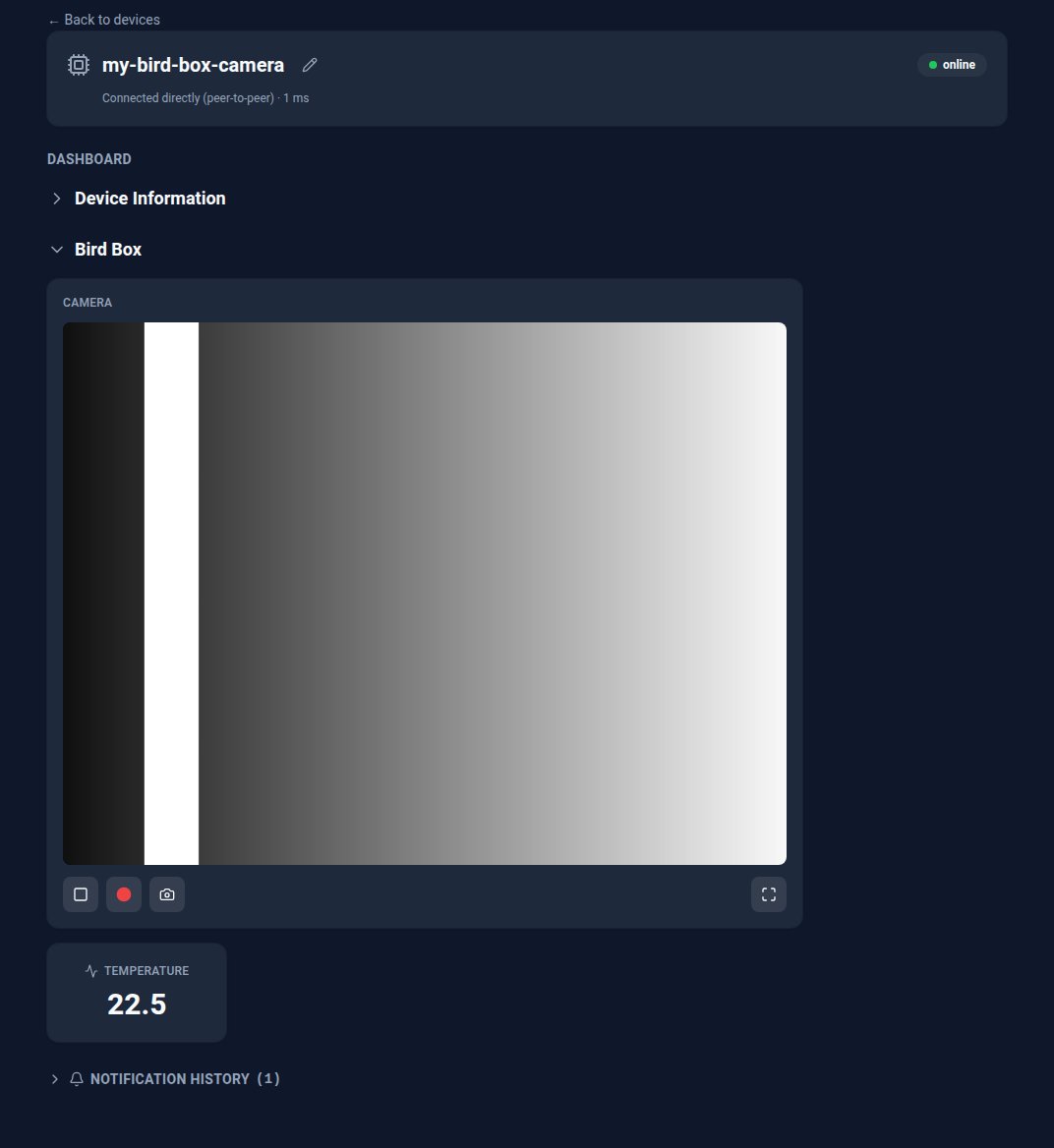
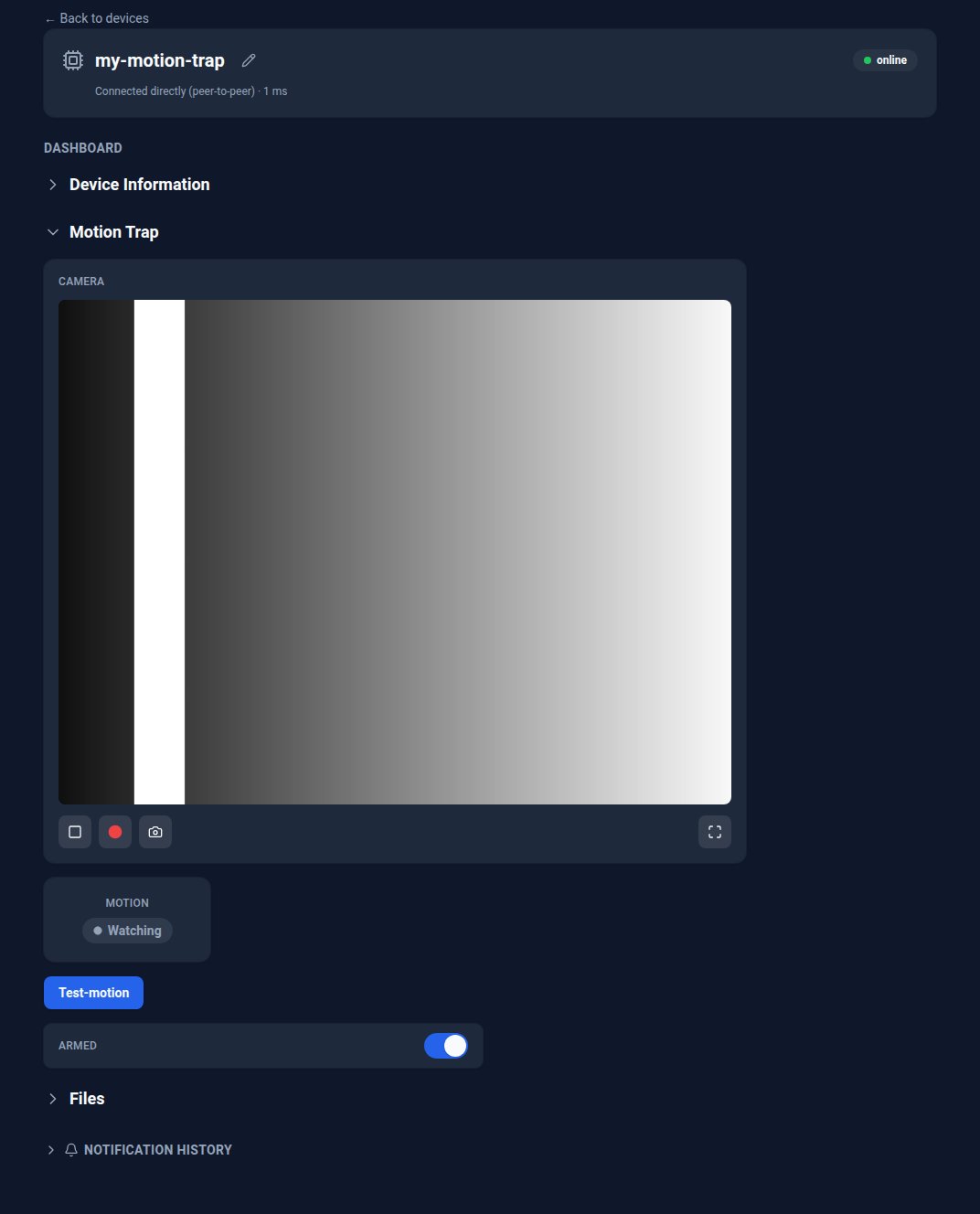
On the dashboard: the camera (live video, Record, Snapshot and full screen buttons, "REC" while recording), an **Armed** toggle (off: motion is ignored), a **Motion** status, a **Sensor** status (what the PIR's output is now: Active or Quiet; with `--detector both` or `frames` also a **Picture change** gauge, how much of the picture is changing, in percent) and a **Test
motion** button, which does exactly what the sensor does, and a **Files** section listing the Photos and Videos
folders - download one, or "Download all" straight to your own machine, peer to peer. Under Device Information >
Video: pre-roll (keep the seconds BEFORE the motion; on by default at 5 s, and it keeps the camera, and so the infrared light,
running all the time the trap is armed; set it to 0 to turn it off), the storage limits, the longest recording, and "Keep recording after motion".

**Hardware.** A Raspberry Pi with a camera (the Pi's hardware H.264 encoder does the encoding where there is one, any Pi before the Pi 5; without one the CPU does, which
has not yet been tried on a Pi 5; a NoIR camera for night), an HC-SR501-style PIR sensor (its output is 3.3 V logic, safe for a GPIO pin), and optionally an
infrared illuminator and a setup LED:

    PIR     VCC -> pin 2 (5 V)     OUT -> GPIO 17 (pin 11)     GND -> pin 6
    IR      GPIO 22 (pin 15) -> 1 kohm -> base of an NPN transistor (2N2222 or similar); emitter -> GND (pin 9);
            collector -> the illuminator's minus; the illuminator's plus -> 5 V (pin 4)
    LED     GPIO 27 (pin 13) -> 330 ohm -> LED anode; LED cathode -> pin 14 (GND)      (setup only: --led-pin 27)

An illuminator draws far more than a GPIO pin can give (about 16 mA), hence the transistor: never wire one straight to
a pin. Use one that can be switched, not one with its own light sensor that turns itself on in the dark. 940 nm is
invisible to animals; 850 nm shows a faint red glow but lights further for a NoIR camera.

**Seeing movement in the picture (optional).** `--detector both` makes the camera confirm what the sensor reports: it compares small pictures (4 a second) and
only starts a recording when enough of the picture changes for long enough, so a moth in front of the lens does not. `--detector frames` uses the picture alone, with
no sensor wired. Under Device Information > Video, "Movement area" (the share of the picture that must change) and "Movement must last" tune it, and each notice says how
much of the picture changed, which is how to set them from what the trap really sees. It costs the camera a second, small picture (about 3% of a Pi Zero W's CPU) and keeps
the camera, and so the infrared light, on all the time the trap is armed, even with pre-roll off. In the dark an infrared-lit picture shows insects as large bright blobs, so
`both` is the safer choice at night, and `frames` suits daylight.

**A brighter picture in the dark (optional).** A NoIR camera in a dark garden is limited by the camera, not by this program. Measured on a Pi Zero with an IMX219 and a
mains infrared light at about 0.6 lux: the auto-exposure had already reached its longest exposure (about 120 ms) and almost its highest gain (9.8 of about 10.7), so a lower
`--fps` or a higher exposure target changed nothing. What software can still do is lift the picture with the camera's own controls, which run in the image processor before the
encoder and so cost no CPU:

    --exposure-value 2   aim the auto-exposure this many stops brighter (2 is four times)
    --long-exposure      let the auto-exposure prefer a long exposure to a high gain: brighter, but a moving animal blurs
    --brightness 0.1     add to every pixel (0.1 is about 25 of 255): the largest effect here, but it is a lift, not new light, so black becomes dark grey

Those three are the NIGHT settings. Left on all day they blow the picture out and blur whatever moves, so `--night-lux 3` applies them only when the camera's own light reading
(its "lux" metadata) is below 3, and puts the camera's own defaults back when it is above 6: twice the threshold, so a reading near it cannot make the picture flicker between the
two. A change also needs two readings in a row (one every 30 seconds), so a car's headlights or a torch does not switch it; only the first reading after the camera opens acts at once.
Without `--night-lux` the night settings are always on.

Lux is the camera's estimate, not a meter: it is calibrated for the sensor's own tuning, and a NoIR camera counts infrared as light, so choose the threshold from your own camera.
`--camera-log FILE` appends the exposure time, gain and lux (and day or night) every 30 seconds: read it at dusk and dawn, then set `--night-lux` between the two. If the exposure and
the gain are both at their limits, only more light will help.

**Board lights.** Once per Pi, `sudo .venv/bin/pihub board-leds allow` lets the app switch the Pi's own green (and
red) LEDs off while it runs; they come back when it stops. Without that the dashboard says they are still on.
`--board-leds on` leaves them alone.

**Run it.** Just run it:

    .venv/bin/python apps/motion_trap.py

The first time, it prints a link and a short code: open the link while you are logged in, approve it, and answer `y`
when the terminal asks you to confirm the account. That makes the Pi yours, and the platform gives it its id. Every run
after that connects straight away. (`pihub setup` does the same linking on its own, if you would rather do that first.)

**No hardware?** `--simulate` uses gpiozero's pretend pins and a moving test pattern for the camera, so the whole
thing runs on any computer; press Test motion on the dashboard to set it off. `pip install "thepihub[gpio]"` if gpiozero
is missing (Raspberry Pi OS already has it; a venv made without `--system-site-packages` does not). The pin driver,
`lgpio`, comes from Raspberry Pi OS (`python3-lgpio`) and is found from a venv as well.

Recordings go to ~/thepihub-recordings (`--directory` to change it, a USB stick's mount point for example).
"""

from __future__ import annotations

import argparse
import logging
import signal
import threading
import time
from datetime import datetime
from pathlib import Path
from typing import Any, Callable, Dict, List, Optional

from pihub import Device, Program, StringProperty
from pihub.video import CameraUnavailable, EncodedTestPatternSource, best_camera_source

logger = logging.getLogger(__name__)

DEFAULT_HOLD_SECONDS = 10
DEFAULT_PRE_ROLL_SECONDS = 5  # a trap should catch the start of what set it off, so pre-roll is on unless the dashboard or --pre-roll says otherwise
PROGRAM_ID = "motion-trap"
HOLD_SETTING = "video-hold-seconds"
TICK_SECONDS = 0.2

# Seeing movement in the picture (`--detector both|frames`): small greyscale pictures, compared with the last one.
DETECTORS = ("pir", "both", "frames")
SAMPLES_PER_SECOND = 4
PIXEL_CHANGE = 25  # a pixel counts as changed when its brightness (the picture's average taken off) moves by more than this, out of 255
DEFAULT_AREA_PERCENT = 2.0  # the share of the picture that must change: a measured still scene reads 0%, a hand waved in front of it 25-60%
DEFAULT_MOVEMENT_SECONDS = 1.0  # ... for this long without a break
AREA_SETTING = "video-movement-area"
MOVEMENT_SECONDS_SETTING = "video-movement-seconds"

NOT_ARMED, WATCHING, MOTION = "Not armed", "Watching", "Motion"


class FrameMotion:
    """Movement seen by comparing one small greyscale picture with the last. No camera needed: `update` takes any 2-D array of brightness values.

    A picture counts as "changed" when at least `area_percent` of its pixels differ from the last picture's (after each picture's average brightness is taken off, so
    auto-exposure or a cloud changing the whole picture does not count). Movement is CONFIRMED once pictures have kept changing for `seconds` without a break, which is
    what lets a moth (a few pixels, for a moment) through unnoticed and an animal (a large part of the picture, for a while) not. `active` is whether it is confirmed
    now; `peak_percent` is the most the picture changed since the change began.
    """

    def __init__(self, area_percent: float = DEFAULT_AREA_PERCENT, seconds: float = DEFAULT_MOVEMENT_SECONDS, pixel_change: int = PIXEL_CHANGE) -> None:
        self.area_percent = float(area_percent)
        self.seconds = float(seconds)
        self.pixel_change = int(pixel_change)
        self.reset()

    def reset(self) -> None:
        self._previous: Any = None
        self._since: Optional[float] = None
        self.changed_percent = 0.0
        self.peak_percent = 0.0
        self.active = False

    def update(self, picture: Any, now: float) -> bool:
        """Compare `picture` with the last one, at time `now` (seconds). Returns `active`."""
        import numpy as np

        current = np.asarray(picture).astype(np.int16)
        current -= int(current.mean())
        previous, self._previous = self._previous, current
        if previous is None or previous.shape != current.shape:
            self.active = False
            return False
        self.changed_percent = float((np.abs(current - previous) > self.pixel_change).mean() * 100)
        if self.changed_percent >= self.area_percent:
            if self._since is None:
                self._since, self.peak_percent = now, 0.0
            self.peak_percent = max(self.peak_percent, self.changed_percent)
            self.active = now - self._since >= self.seconds
        else:
            self._since = None
            self.active = False
        return self.active


class MotionTrap:
    """The trap's logic, apart from the command line, so a test can drive it: `sensor` is a gpiozero `MotionSensor` (or anything with
    `is_active` and `when_motion`; None with `detector="frames"`, which needs none); `detector` is `pir` (the sensor alone, as ever), `both` (the sensor, confirmed by
    the picture) or `frames` (the picture alone), see `FrameMotion`; `led` (the setup LED, lit on motion) and `ir_light` (on while the camera is) are anything with `on()`
    and `off()`, or None; `board_leds` is a `pihub.board_leds.BoardLeds`, or None to leave the Pi's own lights alone. Build it before
    `device.start()`, then call `start()`."""

    def __init__(
        self,
        device: Device,
        source: Any,
        sensor: Any,
        led: Any = None,
        *,
        detector: str = "pir",
        movement_area_percent: Optional[float] = None,
        movement_seconds: Optional[float] = None,
        ir_light: Any = None,
        board_leds: Any = None,
        directory: str = "~/thepihub-recordings",
        hold_seconds: Optional[float] = None,
        pre_roll_seconds: Optional[float] = None,
        clock: Callable[[], float] = time.monotonic,
        **recorder_options: Any,
    ) -> None:
        self.device = device
        self.sensor = sensor
        self.led = led
        self.ir_light = ir_light
        self.board_leds = board_leds
        self._clock = clock
        # One lock across a whole trigger and a whole ending: motion arriving while a recording is being stopped must start the next one,
        # not find it "still recording" and let the stop end it.
        self._lock = threading.RLock()
        self._deadline: Optional[float] = None  # while motion is "on": when it ends if nothing else moves
        self._stop = threading.Event()
        self._thread: Optional[threading.Thread] = None
        self._watcher: Optional[threading.Thread] = None
        self.hold_seconds = float(DEFAULT_HOLD_SECONDS if hold_seconds is None else hold_seconds)
        self._hold_given = hold_seconds is not None
        if detector not in DETECTORS:
            raise ValueError(f"detector must be one of {', '.join(DETECTORS)}")
        if detector != "pir" and getattr(source, "motion_frames", True) is False:  # a test pattern has no flag: it always offers them
            raise ValueError("this video source cannot give the small pictures that --detector needs")
        self.source = source
        self.detector = detector
        self._area_given = movement_area_percent is not None
        self._movement_seconds_given = movement_seconds is not None
        self.frame_motion: Optional[FrameMotion] = (
            None if detector == "pir"
            else FrameMotion(DEFAULT_AREA_PERCENT if movement_area_percent is None else movement_area_percent,
                             DEFAULT_MOVEMENT_SECONDS if movement_seconds is None else movement_seconds)
        )
        self._holding_camera = False

        self.program = Program(id=PROGRAM_ID, name="Motion Trap")
        # The Camera component: live video, Snapshot and Record on the dashboard, and the recorder this app drives from the sensor.
        self.camera = self.program.output(id="camera", type="Camera").use(source)
        if ir_light is not None:
            source.add_power_listener(lambda on: ir_light.on() if on else ir_light.off())  # lit exactly while the camera is open
        self.recorder = self.camera.recorder(directory=directory, pre_roll_seconds=pre_roll_seconds, **recorder_options)
        if pre_roll_seconds is None:
            # Pre-roll on by default. set_pre_roll (not the constructor argument) so this is only the slider's starting value: a value
            # saved from the dashboard still wins, and the slider still saves what you change it to. It also means, while armed, that the
            # camera (and so the infrared light) stays on, which is what lets a NoIR camera light the seconds before the motion.
            self.recorder.set_pre_roll(DEFAULT_PRE_ROLL_SECONDS)
        # Files: the same folders the camera itself writes to, so a saved recording or snapshot can be pulled
        # straight to your own machine, peer to peer, without SSH or pulling the SD card.
        self.files_program = Program(id="files", name="Files")
        self.files = self.files_program.output(id="files", type="Files")
        self.files.add_folder("Photos", self.camera.snapshot_directory)
        self.files.add_folder("Videos", self.recorder.store.directory)
        self.recorder.on_saved(lambda _recording: self.files.publish())  # a finished recording shows up without a page reload
        self.status = self.program.output(id="motion", type="Status")
        # What the two ways of seeing movement are reading right now, for setting them up: the sensor's output, and (with `both` or `frames`) how much of the picture is changing.
        self.sensor_state = self.program.output(id="sensor", type="Status", properties=[StringProperty("title", default="Sensor")])
        self.picture_change = (
            None if detector == "pir"
            else self.program.output(id="picture-change", type="Gauge", properties=[StringProperty("title", default="Picture change"), StringProperty("units", default="%")])
        )
        self._shown_sensor: Optional[str] = None
        self._shown_change: Optional[float] = None
        self.armed = self.program.setting("armed", "Toggle", default=True, title="Armed", apply=self._armed_changed)
        test = self.program.command(id="test-motion", type="Button")
        test.handler(lambda command: self.trigger("button"))
        self.recorder.on_add_settings(self._add_hold_setting)  # in Device Information's Video group, after the recorder's own
        if detector == "pir":
            sensor.when_motion = lambda: self.trigger("sensor")  # `both` and `frames` decide from the picture (and, for `both`, whether the sensor is active)
        device.add_program(self.program)
        device.add_program(self.files_program)

    def _add_hold_setting(self, section: Any) -> None:
        def apply(value: Any) -> None:
            self.hold_seconds = float(value)

        widget = section.setting(
            HOLD_SETTING, "Slider", default=self.hold_seconds, title="Keep recording after motion", units="s",
            minimum=min(5, self.hold_seconds), maximum=max(300, self.hold_seconds), step=5, apply=apply, persist=not self._hold_given, group="Video",
        )
        apply(widget.value)
        if self.frame_motion is None:
            return
        detector = self.frame_motion

        def apply_area(value: Any) -> None:
            detector.area_percent = float(value)

        def apply_seconds(value: Any) -> None:
            detector.seconds = float(value)

        area = section.setting(
            AREA_SETTING, "Slider", default=detector.area_percent, title="Movement area", units="%",
            minimum=0.5, maximum=max(25.0, detector.area_percent), step=0.5, apply=apply_area, persist=not self._area_given, group="Video",
        )
        apply_area(area.value)
        seconds = section.setting(
            MOVEMENT_SECONDS_SETTING, "Slider", default=detector.seconds, title="Movement must last", units="s",
            minimum=0.5, maximum=max(5.0, detector.seconds), step=0.5, apply=apply_seconds, persist=not self._movement_seconds_given, group="Video",
        )
        apply_seconds(seconds.value)

    # -- running ---------------------------------------------------------------------------------------------------------------

    def start(self) -> None:
        """After `device.start()`: the Pi's own lights off, arm (if the Armed toggle is on) and start the hold timer."""
        if self.board_leds is not None:
            from pihub.board_leds import ALLOW_COMMAND

            refused = self.board_leds.switch_off()
            if refused:
                self.program.info(f"The Pi's own lights are still on ({', '.join(refused)}). To let this app switch them off, run once on the Pi: {ALLOW_COMMAND}")
        self._armed_changed(self.armed.value)
        self._show_sensor()
        self._thread = threading.Thread(target=self._run, daemon=True, name="motion-trap")
        self._thread.start()
        if self.frame_motion is not None:
            self._watcher = threading.Thread(target=self._watch, daemon=True, name="motion-trap-pictures")
            self._watcher.start()

    def close(self) -> None:
        self._stop.set()
        if self._thread is not None:
            self._thread.join()
        if self._watcher is not None:
            self._watcher.join()
        self._end_motion()
        self._release_camera()
        self.recorder.close()
        if self.board_leds is not None:
            self.board_leds.restore()

    def _run(self) -> None:
        while not self._stop.wait(TICK_SECONDS):
            self._show_sensor()
            self.tick()

    def _show_sensor(self) -> None:
        """Publish the sensor's output on the dashboard, when it changes."""
        state = "Not used" if self.sensor is None else ("Active" if self.sensor.is_active else "Quiet")
        if state != self._shown_sensor:
            self._shown_sensor = state
            self.sensor_state.set(state)

    def _watch(self) -> None:
        while not self._stop.wait(1.0 / SAMPLES_PER_SECOND):
            self.sample()

    def sample(self) -> None:
        """One look at the camera, with `detector` both or frames: compare its small picture with the last, and start (or keep) the motion when the picture has
        really been moving. With `both`, the sensor must also be active to START one."""
        detector = self.frame_motion
        if detector is None or not self.armed.value:
            return
        picture = self.source.grab_motion_frame()
        if picture is None:
            return
        moving = detector.update(picture, self._clock())
        change = round(detector.changed_percent, 1)
        if self.picture_change is not None and change != self._shown_change:
            self._shown_change = change
            self.picture_change.set(change)
        if moving:
            if self._deadline is not None or self.detector == "frames" or self.sensor.is_active:
                self.trigger("frames", f" (the picture changed {detector.peak_percent:.0f}%)")

    # -- the path --------------------------------------------------------------------------------------------------------------

    def trigger(self, cause: str = "sensor", detail: str = "") -> bool:
        """Motion (from the sensor, or the Test motion button): LED on, recording (if not already), and the hold timer (re)started.
        Returns False if the trap is not armed."""
        if not self.armed.value:
            return False
        with self._lock:
            starting = self._deadline is None
            self._deadline = self._clock() + self.hold_seconds
            if starting:
                if self.led is not None:
                    self.led.on()
                self.status.set(MOTION)
            if not self.recorder.recording:
                try:
                    self.recorder.start(reason="test" if cause == "button" else "motion")
                except (CameraUnavailable, OSError) as error:
                    self.program.warning(f"Motion detected, but the recording did not start: {error}")
                else:
                    self.program.info(f"Motion detected{detail}: recording" if cause != "button" else "Test motion: recording")
        return True

    def tick(self) -> None:
        """Keep the motion going while the sensor still sees it; end it once `hold_seconds` have passed with nothing."""
        with self._lock:
            if self._deadline is None:
                return
            now = self._clock()
            if self._still_moving():
                self._deadline = now + self.hold_seconds
                return
            if now < self._deadline:
                return
            self._end_motion()

    def _still_moving(self) -> bool:
        """The sensor still sees it (or, with `both` or `frames`, the picture is still changing)."""
        if self.frame_motion is not None:
            return self.frame_motion.active
        return bool(self.sensor.is_active)

    def _hold_camera(self) -> None:
        """Pictures only come from an open camera, and pre-roll (which usually holds it) can be off: so hold it ourselves while armed."""
        if self._holding_camera:
            return
        try:
            self.source.start()
        except CameraUnavailable as error:
            self.program.warning(f"Armed, but the camera could not be opened to watch for movement: {error}")
            return
        self._holding_camera = True

    def _release_camera(self) -> None:
        if self._holding_camera:
            self._holding_camera = False
            self.source.stop()

    def _end_motion(self) -> None:
        with self._lock:
            was_on = self._deadline is not None
            self._deadline = None
            if was_on:
                if self.led is not None:
                    self.led.off()
                self.status.set(WATCHING if self.armed.value else NOT_ARMED)
            self.recorder.stop()  # the recorder sends "Recording saved: ..." itself

    def _armed_changed(self, value: Any) -> None:
        if self.frame_motion is not None:
            self.frame_motion.reset()
            if value:
                self._hold_camera()
            else:
                self._release_camera()
        if value:
            self.status.set(WATCHING)
            try:
                self.recorder.arm()  # holds the camera while pre-roll is on (the default)
            except CameraUnavailable as error:
                self.program.warning(f"Armed, but pre-roll could not start: {error}")
        else:
            self.recorder.disarm()
            self._end_motion()
            self.status.set(NOT_ARMED)


# -- a brighter picture in the dark ---------------------------------------------------------------------------------------------
# What this does, and why, is in the module's docstring ("A brighter picture in the dark"). In short: a hook the camera calls each time it opens sets the NIGHT controls
# (or, with --night-lux, the camera's own defaults until it is dark), and a small thread reads the camera's lux every 30 seconds to switch between them.

AE_EXPOSURE_MODE_LONG = 2  # libcamera's AeExposureMode: 0 Normal, 1 Short, 2 Long
CAMERA_LOG_SECONDS = 30.0  # how often the camera is read: for the log and for the day/night decision
FIRST_READING_SECONDS = 5.0  # after the camera opens, wait this long for its auto-exposure to settle, then read once
NIGHT_END_FACTOR = 2.0  # night ends when the lux is this many times the threshold: the gap (hysteresis) stops a reading near the threshold flickering
NIGHT_CONFIRM_READINGS = 2  # a change needs this many readings in a row, so headlights or a torch for one reading do not switch it


class NightSwitch:
    """Decides, from the camera's lux readings one at a time, whether it is night. No camera needed: `update` takes a number.

    Night begins when the lux falls BELOW `night_lux` and ends when it rises to `night_lux * NIGHT_END_FACTOR` or more. Either change needs
    `NIGHT_CONFIRM_READINGS` readings in a row that want it, except the first reading after the camera opens (`first=True`), which acts at once because
    the picture has been wrong since the camera opened and nothing earlier is worth waiting for. A reading with no lux (None) changes nothing.
    It starts as day, and keeps its state when the camera closes and opens again, so a reopen at night does not spend its first seconds as day."""

    def __init__(self, night_lux: float) -> None:
        self.night_lux = night_lux
        self.night = False
        self._streak = 0

    def update(self, lux: Optional[float], first: bool = False) -> bool:
        """Take one reading; return whether it is night now."""
        if lux is None:
            return self.night
        wants_night = lux < (self.night_lux * NIGHT_END_FACTOR if self.night else self.night_lux)
        if wants_night == self.night:
            self._streak = 0
            return self.night
        self._streak += 1
        if first or self._streak >= NIGHT_CONFIRM_READINGS:
            self.night = wants_night
            self._streak = 0
        return self.night


def camera_tuning(
    exposure_value: Optional[float] = None,
    long_exposure: bool = False,
    brightness: Optional[float] = None,
    log_path: Optional[str] = None,
    night_lux: Optional[float] = None,
) -> Optional[Callable[[Any], None]]:
    """An `on_open` hook for the camera source, or None when nothing was asked for.

    The camera closes when its last user stops and is a new object when it opens again, so the controls are set on EVERY open, before it starts. A control this
    camera does not have is skipped and a value is held to the range the camera allows, so a bad number cannot stop the trap from starting. With `night_lux`
    the night controls are set only while it is night (see `NightSwitch`) and the camera's own defaults the rest of the time; without it they are always set.
    A thread reads the camera every `CAMERA_LOG_SECONDS` while it is open, to decide day or night and/or to write the log."""
    night: Dict[str, float] = {}
    if exposure_value is not None:
        night["ExposureValue"] = exposure_value
    if long_exposure:
        night["AeExposureMode"] = AE_EXPOSURE_MODE_LONG
    if brightness is not None:
        night["Brightness"] = brightness
    if night_lux is not None and not night:
        raise ValueError("night_lux needs something to switch: an exposure value, long exposure or brightness")
    if not night and not log_path:
        return None
    switch = NightSwitch(night_lux) if night_lux is not None else None

    def tune(camera: Any) -> None:
        available = camera.camera_controls  # {name: (minimum, maximum, default)}
        night_controls: Dict[str, float] = {}
        for name, value in night.items():
            if name not in available:
                logger.warning("this camera has no %s control, so it is left alone", name)
                continue
            night_controls[name] = min(max(value, available[name][0]), available[name][1])
        day_controls = {name: available[name][2] for name in night_controls}  # what the camera does when left alone

        def apply(is_night: bool) -> None:
            controls = night_controls if is_night else day_controls
            if controls:
                camera.set_controls(controls)
                print(f"camera controls ({'night' if is_night else 'day'}): {', '.join(f'{name} {value:g}' for name, value in controls.items())}")

        if switch is None or switch.night:
            apply(True)  # always on, or a reopen at night: the camera is right from its first frame
        if switch is not None or log_path:
            threading.Thread(target=watch_camera, args=(camera, log_path, switch, apply), daemon=True).start()

    return tune


def watch_camera(
    camera: Any, log_path: Optional[str], switch: Optional[NightSwitch], apply: Callable[[bool], None],
    every: float = CAMERA_LOG_SECONDS, samples: Optional[int] = None, first_after: float = FIRST_READING_SECONDS,
) -> None:
    """While `camera` is open: read its metadata, switch day and night by its lux (if `switch`), and append a line to `log_path` (if given).

    It ends when the camera closes (a new one starts when it opens again). One failed reading is skipped, not fatal: a trap that stopped switching because the
    camera was briefly busy would be stuck in the wrong mode all night. A log file that cannot be written is skipped the same way. `samples` and `first_after` are for tests."""
    target = Path(log_path).expanduser() if log_path else None
    first = True
    warned = False
    taken = 0
    while samples is None or taken < samples:
        time.sleep(first_after if first else every)
        taken += 1
        try:
            if not camera.started:
                return
            metadata = camera.capture_metadata()
            if switch is not None:
                lux = metadata.get("Lux")
                if lux is None and not warned:
                    warned = True
                    logger.warning("this camera reports no lux, so night mode cannot switch")
                was_night = switch.night
                if switch.update(lux, first) != was_night:
                    apply(switch.night)
            first = False
            if target is not None:
                mode = "" if switch is None else (", night" if switch.night else ", day")
                line = (
                    f"{datetime.now().astimezone().isoformat(timespec='seconds')} exposure {metadata.get('ExposureTime')} us, "
                    f"analogue gain {metadata.get('AnalogueGain')}, digital gain {metadata.get('DigitalGain')}, "
                    f"frame {metadata.get('FrameDuration')} us, lux {metadata.get('Lux')}{mode}\n"
                )
                with target.open("a") as handle:
                    handle.write(line)
        except Exception:  # a busy camera or a full disk: skip this reading, not the whole night
            logger.debug("could not read or log the camera", exc_info=True)


# -- the command line -----------------------------------------------------------------------------------------------------------


def parse_args(argv: Optional[List[str]] = None) -> argparse.Namespace:
    parser = argparse.ArgumentParser(description=__doc__, formatter_class=argparse.RawDescriptionHelpFormatter)
    parser.add_argument("--server", help="the platform to register with the first time (default: $PIHUB_SERVER, else https://thepihub.com); ignored once registered")
    parser.add_argument("--simulate", action="store_true", help="no hardware: pretend GPIO pins and a test-pattern camera")
    parser.add_argument("--directory", default="~/thepihub-recordings", help="where recordings are saved (default: ~/thepihub-recordings)")
    parser.add_argument("--pir-pin", type=int, default=17, help="the GPIO the motion sensor's output is on (default: 17)")
    parser.add_argument("--ir-pin", type=int, default=22, help="the GPIO switching the infrared light, on while the camera is (default: 22)")
    parser.add_argument("--no-ir-light", action="store_true", help="there is no infrared light: leave its pin alone")
    parser.add_argument("--led-pin", type=int, help="a visible LED lit on motion, for setting the sensor up (default: none, so nothing glows)")
    parser.add_argument("--board-leds", choices=["off", "on"], default="off",
                        help="the Pi's own lights while the app runs (default: off; needs `sudo .venv/bin/pihub board-leds allow` once)")
    # A value given here wins over the dashboard's, and stops that setting being saved (the same rule as the camera's settings).
    parser.add_argument("--hold-seconds", type=float, help=f"keep recording this long after the last motion (default: the dashboard setting, else {DEFAULT_HOLD_SECONDS})")
    parser.add_argument("--pre-roll", type=float, help=f"seconds kept from before the motion, 0 to turn it off (default: the dashboard setting, else {DEFAULT_PRE_ROLL_SECONDS})")
    parser.add_argument("--size", help="video size, WIDTHxHEIGHT (default: the dashboard setting, else 640x480)")
    parser.add_argument("--fps", type=int, help="video frames per second (default: the dashboard setting, else 15)")
    parser.add_argument("--detector", choices=DETECTORS, default="pir",
                        help="what decides there is motion: pir (the sensor, as ever), both (the sensor, confirmed by the picture changing) or frames (the picture alone, no sensor needed). Default: pir")
    parser.add_argument("--movement-area", type=float, help=f"with --detector both or frames: the percent of the picture that must change (default: the dashboard setting, else {DEFAULT_AREA_PERCENT})")
    parser.add_argument("--movement-seconds", type=float, help=f"with --detector both or frames: for how many seconds without a break (default: the dashboard setting, else {DEFAULT_MOVEMENT_SECONDS})")
    parser.add_argument("--software-encoder", action="store_true", help="encode the video on the CPU instead of the Pi's hardware encoder (a Pi 5 has none, and does this by itself)")
    parser.add_argument("--exposure-value", type=float, help="aim the auto-exposure brighter (or darker) by this many stops, e.g. 1 or 2 for a dark scene (default: leave it alone)")
    parser.add_argument("--long-exposure", action="store_true", help="let the auto-exposure prefer long exposures: brighter in the dark, but moving animals blur")
    parser.add_argument("--brightness", type=float, help="lift the whole picture, -1 to 1, e.g. 0.1 (default: leave it alone)")
    parser.add_argument("--night-lux", type=float, help="use --exposure-value, --long-exposure and --brightness only when the camera's light reading (lux) is below this, and stop at twice it (default: always on). Choose it from --camera-log")
    parser.add_argument("--camera-log", help=f"append the camera's exposure time, gain and lux to this file every {CAMERA_LOG_SECONDS:g} seconds, to see what limits the picture")
    return parser.parse_args(argv)


def build(args: argparse.Namespace, transport: Any = None) -> MotionTrap:
    """The device, its camera, sensor and LED, and the trap, NOT yet started. `transport` is for tests."""
    try:
        from gpiozero import LED, DigitalOutputDevice, GPIOZeroError, MotionSensor
        from gpiozero import Device as Pins
    except ImportError:
        raise SystemExit('error: this app needs gpiozero: pip install "thepihub[gpio]" (Raspberry Pi OS has it for its own Python)')
    from pihub.gpio import PIN_DRIVER_HELP, prepare_pins
    size = None
    if args.size:
        try:
            size = tuple(int(part) for part in args.size.lower().split("x"))
            if len(size) != 2:
                raise ValueError
        except ValueError:
            raise SystemExit(f"error: --size must look like 640x480, not {args.size!r}")

    if args.simulate:
        from gpiozero.pins.mock import MockFactory

        Pins.pin_factory = MockFactory()
        source = EncodedTestPatternSource(size=size, fps=args.fps)
    else:
        prepare_pins()  # a venv without system packages: the pin driver is Raspberry Pi OS's own
        try:
            # The Pi's hardware encoder where there is one; else the CPU (libx264), which is still an ENCODED source, so it records. A test pattern is never
            # chosen here: a trap that films a test pattern would be a lie (--simulate is the way to see the app without a camera).
            source = best_camera_source(
                size=size, fps=args.fps, software_encoder=args.software_encoder, require_encoded=True, motion_frames=args.detector != "pir",
            )
            if not source.real_camera:
                raise CameraUnavailable("there is no camera here (try --simulate to see the app without one)")
        except CameraUnavailable as error:
            raise SystemExit(f"error: {error}")
        print(f"video: {source.description}")
        try:
            tuning = camera_tuning(args.exposure_value, args.long_exposure, args.brightness, args.camera_log, args.night_lux)
        except ValueError as error:
            raise SystemExit(f"error: {error}")
        if tuning is not None:
            source.on_open = tuning  # the camera calls it each time it opens, before it starts

    try:
        # At a terminal, the first run links this machine by code and the platform assigns its id; every run after connects at once.
        # Device Information holds the Video settings: on even with a transport given (a test's), where it would otherwise be off.
        device = Device(transport=transport, device_information=True, server=args.server)
    except ValueError as error:
        raise SystemExit(f"error: {error}")

    from pihub.board_leds import BoardLeds

    try:
        sensor = MotionSensor(args.pir_pin) if args.detector != "frames" else None  # the picture alone needs no sensor, so no pin is claimed
        led = LED(args.led_pin) if args.led_pin is not None else None
        ir_light = None if args.no_ir_light else DigitalOutputDevice(args.ir_pin)
    except (GPIOZeroError, OSError) as error:
        raise SystemExit(f"error: {PIN_DRIVER_HELP} ({error})")
    return MotionTrap(
        device, source, sensor, led, ir_light=ir_light,
        board_leds=BoardLeds() if args.board_leds == "off" else None,
        directory=args.directory, hold_seconds=args.hold_seconds, pre_roll_seconds=args.pre_roll,
        detector=args.detector, movement_area_percent=args.movement_area, movement_seconds=args.movement_seconds,
    )


def main(argv: Optional[List[str]] = None) -> None:
    args = parse_args(argv)
    trap = build(args)
    trap.device.start()
    trap.start()
    print(f"{trap.device.id} is online{' (simulated: press Test motion on the dashboard)' if args.simulate else ''}. Ctrl+C to stop.")
    # A service stop (systemd) sends SIGTERM, not Ctrl+C. Left alone, SIGTERM kills the program at once and the cleanup in `finally`
    # below never runs. Treating it as Ctrl+C makes both ways of stopping do the same cleanup:
    # a recording in progress is finished, the infrared light is switched off and
    # the Pi's status LEDs are given back.
    signal.signal(signal.SIGTERM, signal.default_int_handler)
    try:
        while True:
            time.sleep(1)
    except KeyboardInterrupt:
        pass
    finally:
        print("Stopping...")
        trap.close()
        trap.device.stop()


if __name__ == "__main__":
    main()  # pragma: no cover